githubinferredactive
codilay
provenance:github:HarmanPreet-Singh-XYT/codilay
WHAT THIS AGENT DOES
CodiLay is like a smart assistant that understands your company's software code. It automatically creates and keeps up-to-date documentation, so everyone on your team can easily find the information they need about how the software works. This solves the common problem of outdated or missing documentation, which can slow down development and make it harder to onboard new team members. Developers, project managers, and anyone who needs to understand the codebase would find CodiLay incredibly helpful.
USE CASES
README
# 🦅 CodiLay
> **The Living Reference for Your Codebase** — An AI agent that traces the "wires" of your project to build, update, and chat with your documentation.
[](https://opensource.org/licenses/MIT)
[](https://www.python.org/downloads/)
[](CONTRIBUTING.md)
---
CodiLay is not just a static documentation generator; it's an **agentic documentary researcher**. It reads your code, understands module connections via **The Wire Model**, and maintains a persistent, searchable knowledge base that you can browse via a Web UI or talk to through an interactive Chat.
---
## 🎥 Demo
[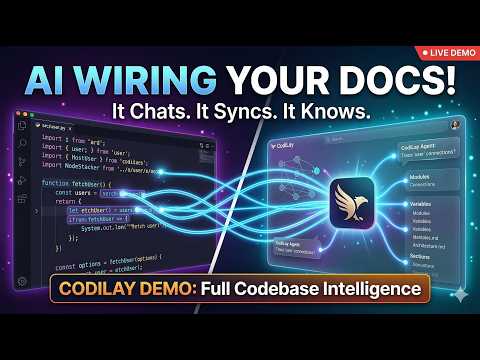](https://www.youtube.com/watch?v=DKwydVqjrJw)
*CodiLay in action — tracing wires, generating docs, and browsing in the Web UI.*
---
## 🚀 Experience CodiLay
### 1. Installation
**Install from PyPI (Recommended)**
```bash
# Basic installation
pip install codilay
# Install with all features (Web UI + Watch mode)
pip install "codilay[all]"
# For a global CLI installation (recommended)
pipx install codilay
```
**Install from Source**
```bash
# Clone the repository
git clone https://github.com/HarmanPreet-Singh-XYT/codilay.git
cd codilay
# Install with Web UI support
pip install -e ".[serve]"
# Install with Watch mode support
pip install -e ".[watch]"
# Install everything (Web UI + Watch mode)
pip install -e ".[all]"
```
### 2. First-Time Setup
Forget about exporting API keys every time. Run the setup wizard to securely store your keys.
```bash
codilay setup
```
Running `codilay` with no arguments opens the **Interactive Control Center**, a premium terminal-based dashboard that lets you manage projects, configurations, and audits without memorizing flags.
---
## 🛠 Features
### 🎮 Interactive Control Center (Terminal Dashboard)
Why use flags when you can have a full-blown dashboard in your terminal?
- **Project Switcher**: Quickly jump between documented codebases.
- **Provider Wizard**: Configure keys and models with real-time validation.
- **Live Monitoring**: Track active scans and resource usage.
- **Audit Console**: Launch security and architecture scans from a central menu.
- **History Browser**: View past conversations and export logs.
- **Smart Resume Detection**: When choosing "Document a codebase", CodiLay peeks at the existing state file and shows an incomplete-run banner with file counts before you confirm — so you know you're resuming, not starting fresh.
The **Tools & Automation** submenu (press `9`) now includes:
- **[12] Commit documentation** — interactive prompts to document the latest commit, a specific hash, the last N commits, a range, or the full repo history (with optional metrics).
- **[13] Git hooks** — install or remove the post-commit hook that auto-generates commit docs in the background after every `git commit`.
### 🧠 The Wire Model
CodiLay treats every import, function call, and variable reference as a **Wire**.
- **Open Wires**: Unresolved references that the agent is "hunting" for.
- **Closed Wires**: Successfully traced connections that form segments of the dependency graph.
### ⚡️ Smart Triage
Before burning tokens, CodiLay performs a high-speed **Triage Phase**. It classifies files into:
- **Core**: Full architectural analysis and documentation.
- **Skim**: Metadata and signatures only (saves tokens on simple utilities).
- **Skip**: Ignores boilerplate, generated code, and platform-specific noise.
### 🔄 Git-Aware Incremental Updates
CodiLay is repo-aware. If you've only changed 2 files in a 500-file project, `codilay .` will:
1. Detect the delta via Git.
2. Invalidate only the affected documentation sections.
3. Re-open wires related to the changed code.
4. Re-calculate the local impact to keep your `CODEBASE.md` current.
### 💬 Interactive Chat & Memory
Ask questions about your codebase using `codilay chat .`.
- **RAG + Deep Search**: It uses your documentation for fast answers but can "escalate" to reading source code for implementation details.
- **Memory**: The agent remembers your preferences and facts about the codebase across sessions.
- **Promote to Doc**: Found a great explanation in chat? Use `/promote` to turn the AI's answer into a permanent section of your documentation.
#### 🌿 Conversation Tree — Branching on Edit
Conversations are a **tree**, not a list. Every message is a node; editing a past message creates a new branch from that point while fully preserving the original thread. You can navigate, compare, and continue any branch independently.
```
msg_001 "How does the payment service work?"
msg_002 "The payment service handles..."
msg_003 "What about retries?"
│
├── main branch (original)
│ msg_004 "Retries use exponential backoff..."
│ msg_005 "How long are the delays?"
│
└── webhooks branch (created by editing msg_003)
msg_006 "Retries are separate from webhooks..."
msg_007 "Where are webhooks handled?"
```
The LLM context for each branch only includes its own ancestry — edits on a sibling branch are invisible. Old conversations are migrated automatically on first read.
#### 🔒 Private & Team Workspaces
Every conversation has a **visibility** setting:
| Visibility | Who sees it |
|:---|:---|
| `private` | Only the conversation owner |
| `team` | All team members |
The Web UI history sidebar splits conversations into **Private** and **Team** sections. Set your username once (stored in the browser) and the filter applies automatically. A conversation can start private and be promoted to team-visible at any time.
```bash
codilay serve .
```
- **Layer 1: The Reader**: High-fidelity rendering of your sections and graph.
- **Layer 2: The Chatbot**: Quick Q&A from documented context — with branch-aware history (only the active branch's messages are sent to the LLM).
- **Layer 3: The Deep Agent**: Reaches into source code to verify facts.
- **Layer 4: Audit Lab**: Browse past audit reports and run new ones directly from the web interface.
- **Commits tab**: Browse all commit docs, generate new ones (with optional context and metrics), and read full docs with visual quality score bars.
**Branch navigation in the Web UI:**
- An **Edit** button appears on hover over any past user message — clicking it opens an inline textarea; submitting creates a new branch.
- A **branch indicator button** in the chat toolbar shows the active branch name and total count; clicking it opens a switcher to jump between branches.
- The **history dropdown** groups conversations by Private and Team, shows branch count per conversation, and lets you set/change your username.
### 👁 Watch Mode & Real-time Progress
Run CodiLay in the background and automatically update documentation when files change.
- **Debounced Watcher**: Uses filesystem events (via watchdog) to auto-update on save.
- **Real-time Progress Display**: High-resolution progress bars for file processing, triage, and LLM calls.
- **Eager Resolution**: Wires are closed the moment a file is processed, giving you instant graph feedback.
```bash
# Watch the current directory, auto-update on save
codilay watch .
# Custom debounce delay (5 seconds)
codilay watch . --debounce 5
# Verbose output for debugging
codilay watch . -v
```
### 🧩 IDE Integration (VSCode Extension)
A VSCode extension that surfaces documentation inline alongside the file you're editing. Requires a running `codilay serve .` server.
**Sidebar panels (Activity Bar):**
- **Documentation Sections** — tree view of all documented sections; click any to open
- **Dependencies** — wires for the currently active file, auto-updates as you switch files
- **Team Knowledge** — collapsible Facts / Decisions / Conventions pulled from tea
[truncated…]PUBLIC HISTORY
First discoveredApr 1, 2026
IDENTITY
inferred
Identity inferred from code signals. No PROVENANCE.yml found.
Is this yours? Claim it →METADATA
platformgithub
first seenMar 15, 2026
last updatedMar 31, 2026
last crawled5 months ago
version—
README BADGE
Add to your README:
