githubinferredactive
Kaiju-Agents
provenance:github:Kaiju-Solutions/Kaiju-Agents
Framework to quickly prototype AI agents in Unity aimed at researchers and educators.
README
# Kaiju Agents
**Framework to quickly prototype AI agents in Unity aimed at researchers and educators.**
[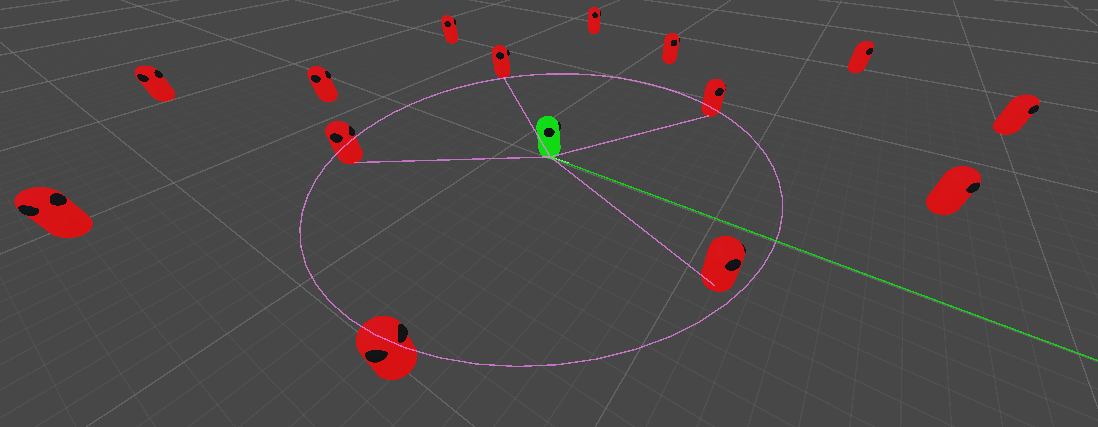](#showcase "Showcase")
Kaiju Agents provides an easy-to-learn yet powerful framework for developing and testing AI agents, aimed to speed up research and development and for education. Some of the key features of Kaiju Agents are:
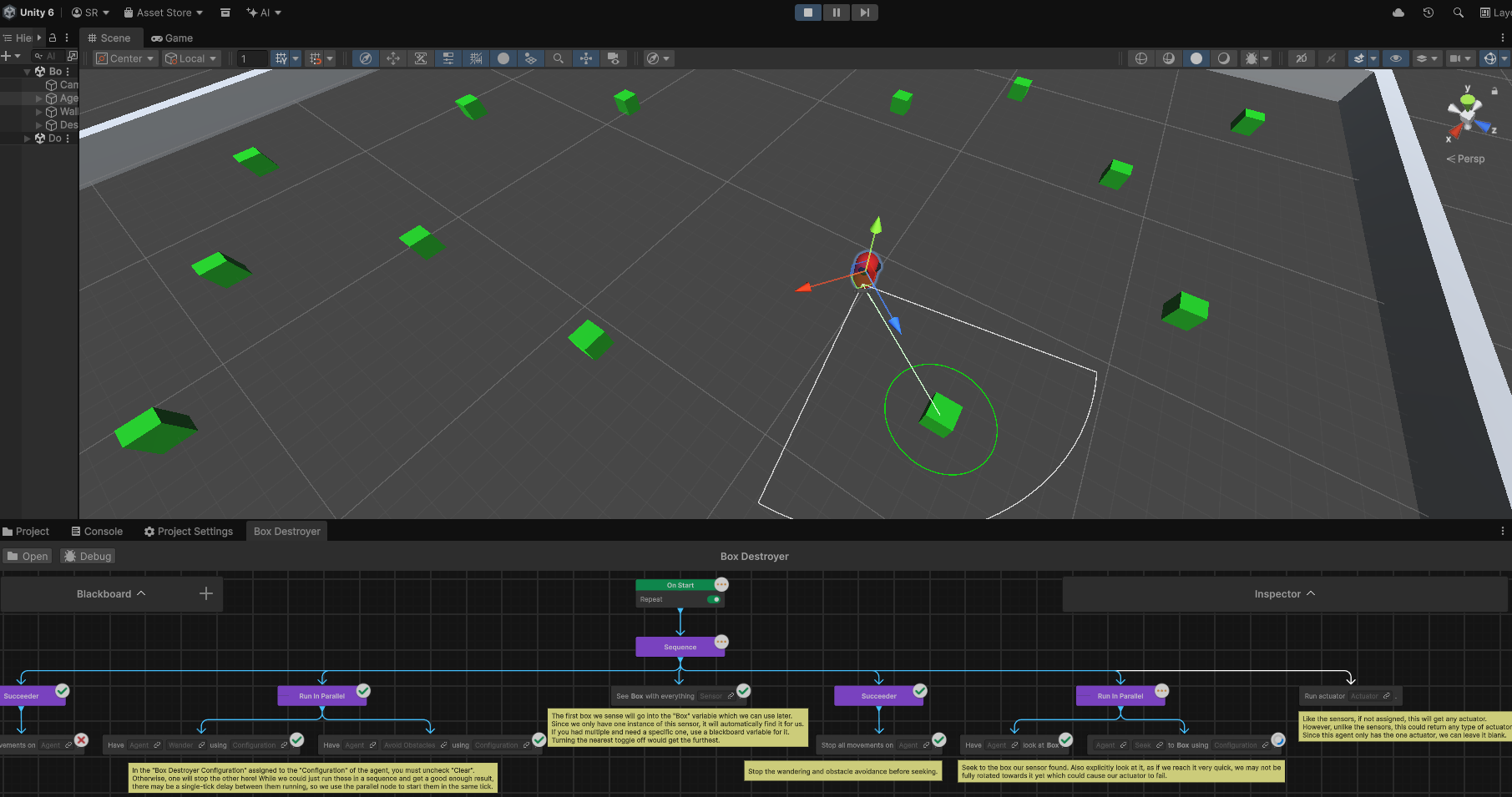
- [Integration](https://behavior.kaijusolutions.ca "Kaiju Agents Behavior") with [Unity Behavior](https://docs.unity3d.com/Packages/com.unity.behavior@latest "Unity Behavior") and an [extension for utility AI](https://utility.kaijusolutions.ca "Kaiju Agents Utility").
- Modularized [sensor](https://agents.kaijusolutions.ca/manual/sensors.html "Sensors")-[agent](https://agents.kaijusolutions.ca/manual/agents.html "Agents")-[actuator](https://agents.kaijusolutions.ca/manual/autuators.html "Actuators") framework to allow for dynamic agent customization.
- Have sensors run automatically or manually poll them.
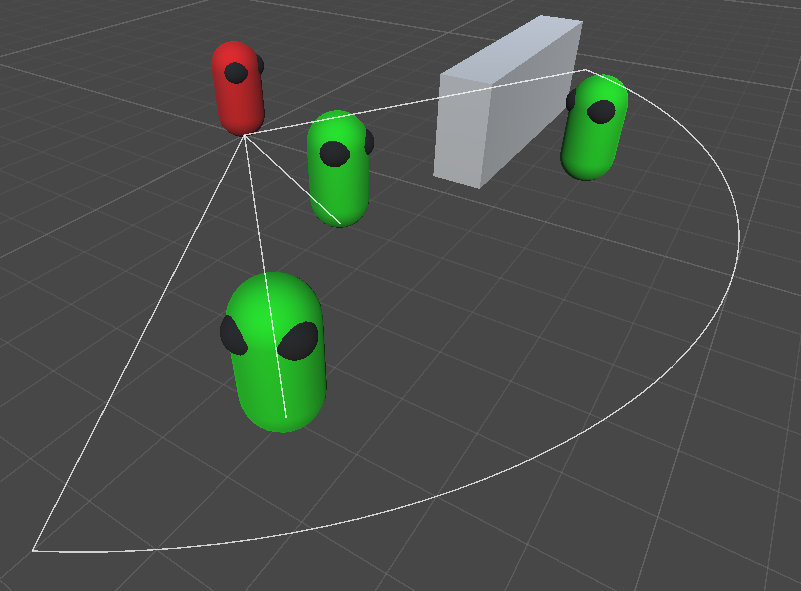
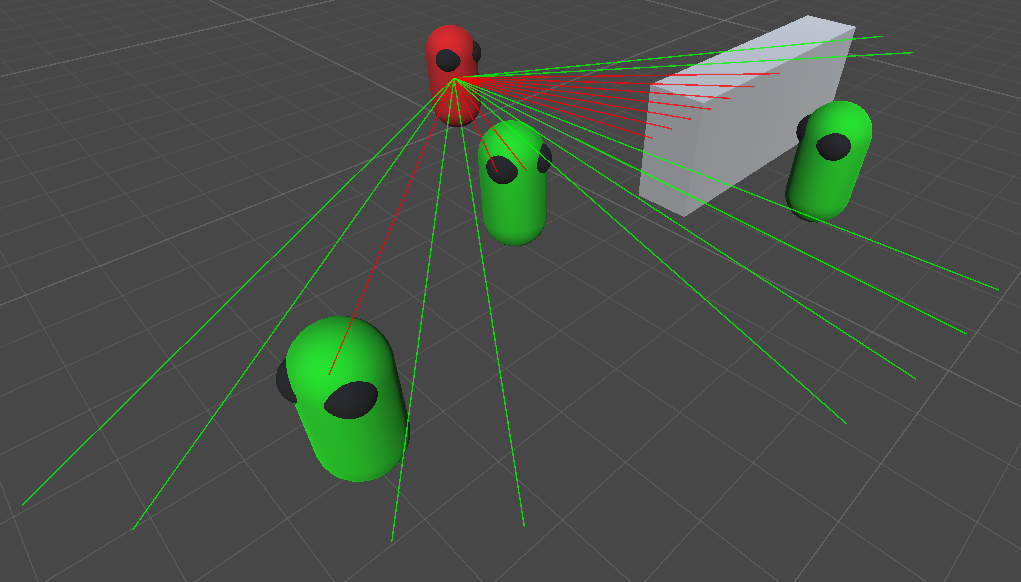
- Vision sensors based on line-of-sight and casting provided.
- Casting-based actuator to destroy objects included.
- Full [movement and navigation](https://agents.kaijusolutions.ca/manual/movement.html "Movement") framework.
- Includes seek, flee, pursue, evade, wander, separation, and obstacle avoidance steering behaviours.
- Full navigation and pathfinding built on top of [Unity's navigation meshes](https://docs.unity3d.com/Packages/com.unity.ai.navigation@latest "AI Navigation").
- [Multiple agent types](https://agents.kaijusolutions.ca/manual/agents.html "Agents").
- Have your agents move via a rigidbody, character controller, navigation mesh agent, or directly with the transform.
- Pathfinding and navigation work with all agents types, not just the navigation mesh agents!
- Extensive visualizations.
- Highly configurable visualizations for agents and their movements in the editor.
- Implement custom visualizations for your own sensors and actuators.
- Event-driven architecture.
- A multitude of C# events allow you to listen for all agent-related actions allowing for rapid and decoupled development.
- [Powerful extension methods](https://agents.kaijusolutions.ca/manual/extensions.html "Extensions") to speed up your development.
- Helpful methods to easy work with vectors, positions, rotations, distances, area-checks, line-of-sight, and more.
- Samples and exercises.
- Sample scenes provided showcasing all agent movements and an example agent controller.
- Several exercises tailored to help you learn Kaiju Agents or use in an education environment.
## Installation
1. Install [Git](https://git-scm.com/install "Git Download").
2. Install [Unity](https://unity.com/download "Unity Download") version 6.3+
3. Create a new Unity project or open an existing one.
- Alternatively, see the [template project](#template-project "Template Project").
4. In Unity, from the top menu, go to `Window > Package Management > Package Manager` and click the `+` icon in the top left followed by `Install package from git URL...`.
5. Paste in one of the below options:
#### Latest Release - Recommended
```text
https://github.com/Kaiju-Solutions/Kaiju-Agents.git#release
```
#### Specific Release
Replace the `#release` in the latest release installation with the version number of the given [release](https://github.com/Kaiju-Solutions/Kaiju-Agents/releases "Kaiju Agents Releases").
#### Development
This will pull directly from the main branch, and is not recommended unless there is a specific feature needed not yet in the latest release.
```text
https://github.com/Kaiju-Solutions/Kaiju-Agents.git?path=/Packages/com.kaijusolutions.agents
```
## Template Project
The [Kaiju Agents template project](https://github.com/Kaiju-Solutions/Kaiju-Agents/tree/template "Kaiju Agents Template Branch") comes with the latest release of Kaiju Agents installed and minimal other dependencies in the project. Simply [download or clone the template project repository branch](https://github.com/Kaiju-Solutions/Kaiju-Agents/tree/template "Kaiju Agents Template Branch") to get started. Note that this still requires you install [Git](https://git-scm.com/install "Git Download") for the project to pull the latest release of Kaiju Agents into itself.
```text
https://github.com/Kaiju-Solutions/Kaiju-Agents.git#template
```
## Updating
- **Important:** Kaiju Agents and any other Git-installed packages in your Unity project will not appear as needing updates under the `Updates` tab, and hence why you need to manually choose to update.
- **Recommended:** Delete all existing [samples and exercises](https://agents.kaijusolutions.ca/manual/samples-and-exercises.html "Samples and Exercises") from your project's `Assets` folder.
- In Unity, from the top menu, go to `Window > Package Management > Package Manager` and select `In Project`.
- Select `Kaiju Agents` and click the `Manage` button followed by `Update`.
## Next Steps
See the [getting started documentation](https://agents.kaijusolutions.ca/manual/getting-started.html "Getting Started") to get up and running with Kaiju Agents.
# Showcase
[](https://behavior.kaijusolutions.ca "Unity Behavior Integration")
[Integration](https://behavior.kaijusolutions.ca "Kaiju Agents Behavior") with [Unity Behavior](https://docs.unity3d.com/Packages/com.unity.behavior@latest "Unity Behavior")
[](https://agents.kaijusolutions.ca/manual/sensors.html#vision-sensor "Vision Sensor")
The [vision sensor](https://agents.kaijusolutions.ca/manual/sensors.html#vision-sensor "Vision Sensor") provided with Kaiju Agents.
[](https://agents.kaijusolutions.ca/manual/sensors.html#cast-sensor "Cast Sensor")
The [cast sensor](https://agents.kaijusolutions.ca/manual/sensors.html#cast-sensor "Cast Sensor") provided with Kaiju Agents.
[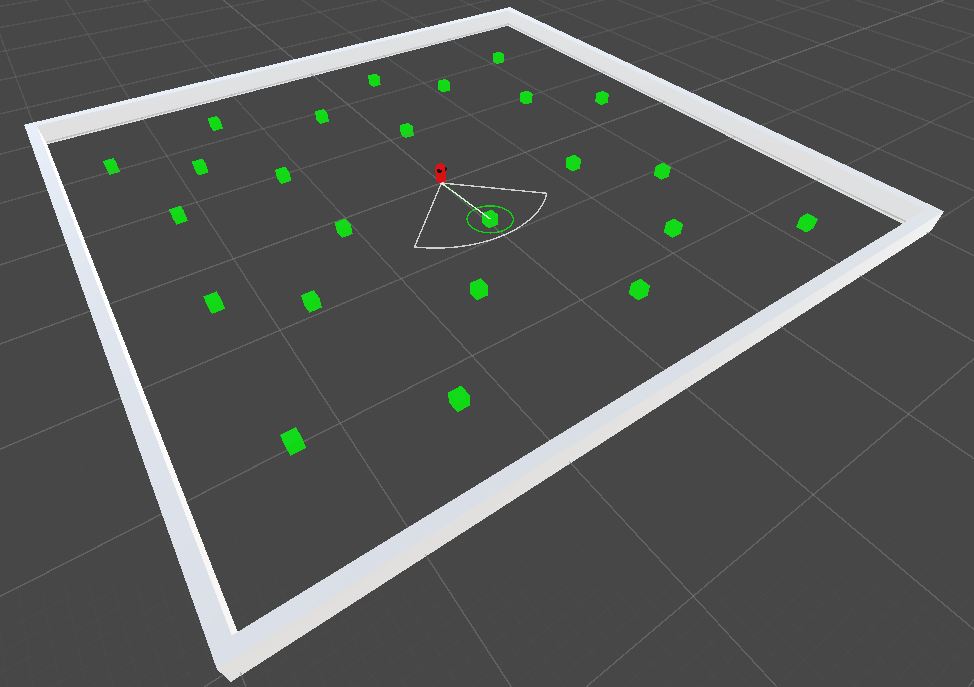](https://agents.kaijusolutions.ca/manual/samples-and-exercises.html#box-destroyer "Box Destroyer")
The ["Box Destroyer" sample](https://agents.kaijusolutions.ca/manual/samples-and-exercises.html#box-destroyer "Box Destroyer") provided with Kaiju Agents.
[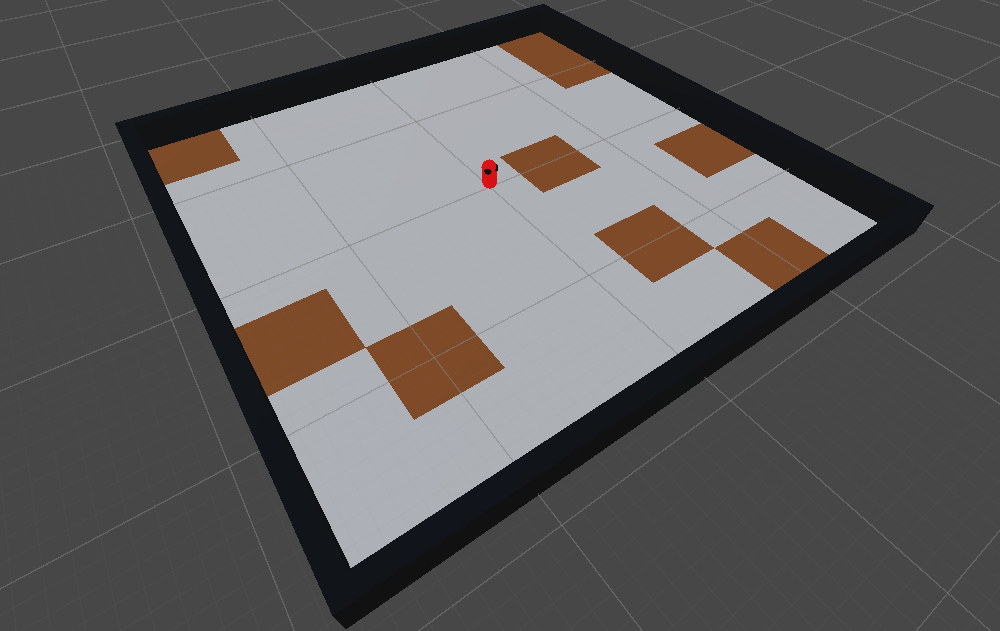](https://agents.kaijusolutions.ca/manual/cleaner.html "Cleaner")
The ["Cleaner" exercise](https://agents.kaijusolutions.ca/manual/cleaner.html "Cleaner") provided by Kaiju Agents.
[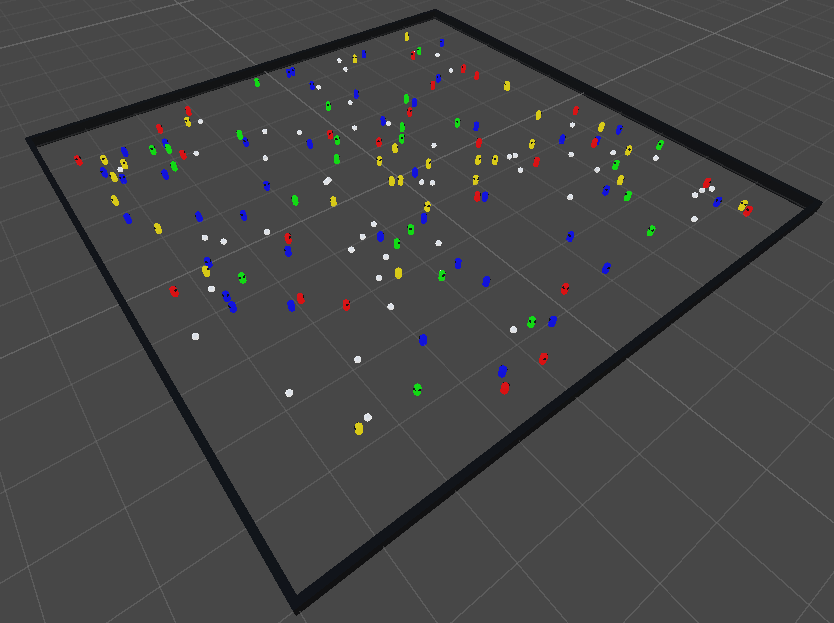](https://agents.kaijusolutions.ca/manual/microbes.html "Microbes")
The ["Microbes" exercise](https://agents.kaijusolutions.ca/manual/microbes.html "Microbes") provided by Kaiju Agents.
[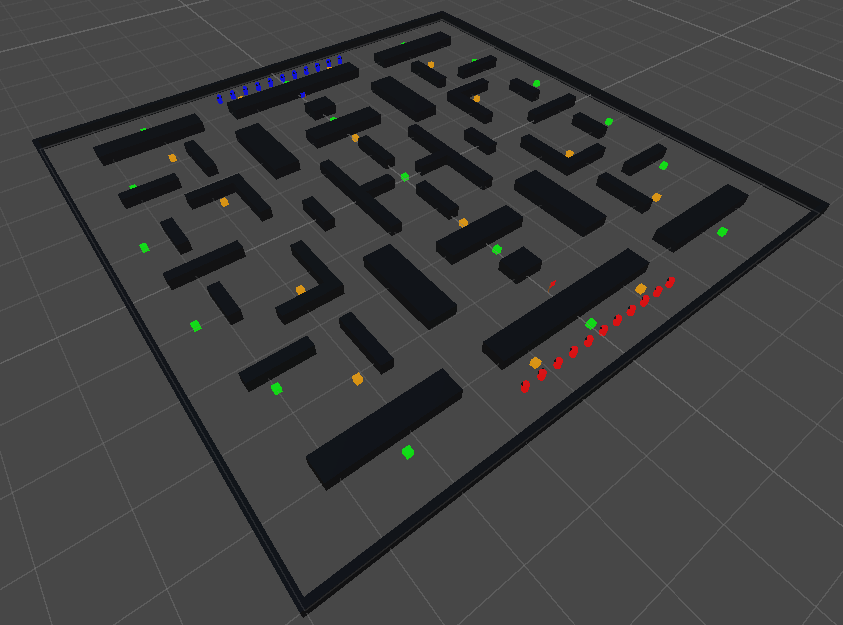](https://agents.kaijusolutions.ca/manual/capture-the-flag.html "Capture the Flag")
The ["Capture the Flag" exercise](https://agents.kaijusolutions.ca/manual/capture-the-flag.html "Capture the Flag") provided by Kaiju Agents.PUBLIC HISTORY
First discoveredMar 29, 2026
IDENTITY
inferred
Identity inferred from code signals. No PROVENANCE.yml found.
Is this yours? Claim it →METADATA
platformgithub
first seenDec 19, 2025
last updatedMar 28, 2026
last crawled5 months ago
version—
README BADGE
Add to your README:
