loki-agent
The loki-agent is designed to deploy stateful AI agents, specifically OpenClaw or Hermes, within an AWS environment. It automates the building of code, infrastructure, and deployments using standard AWS services. Users can deploy the agent with a single command, leveraging CloudFormation, SAM, or Terraform. This agent simplifies the process of setting up and running AI agents on AWS, streamlining the deployment workflow for developers and DevOps engineers.
Manually deploying stateful AI agents and their associated infrastructure can be complex and time-consuming. The loki-agent solves this by providing a single command to deploy the agent and its dependencies, eliminating the need for manual configuration and reducing deployment time.
CAPABILITIES & CONSTRAINTS
README
# Loki: A Harness for Safely Deploying Stateful Full-Stack Builder Agents based on OpenClaw, Hermes and more into your AWS Account.
[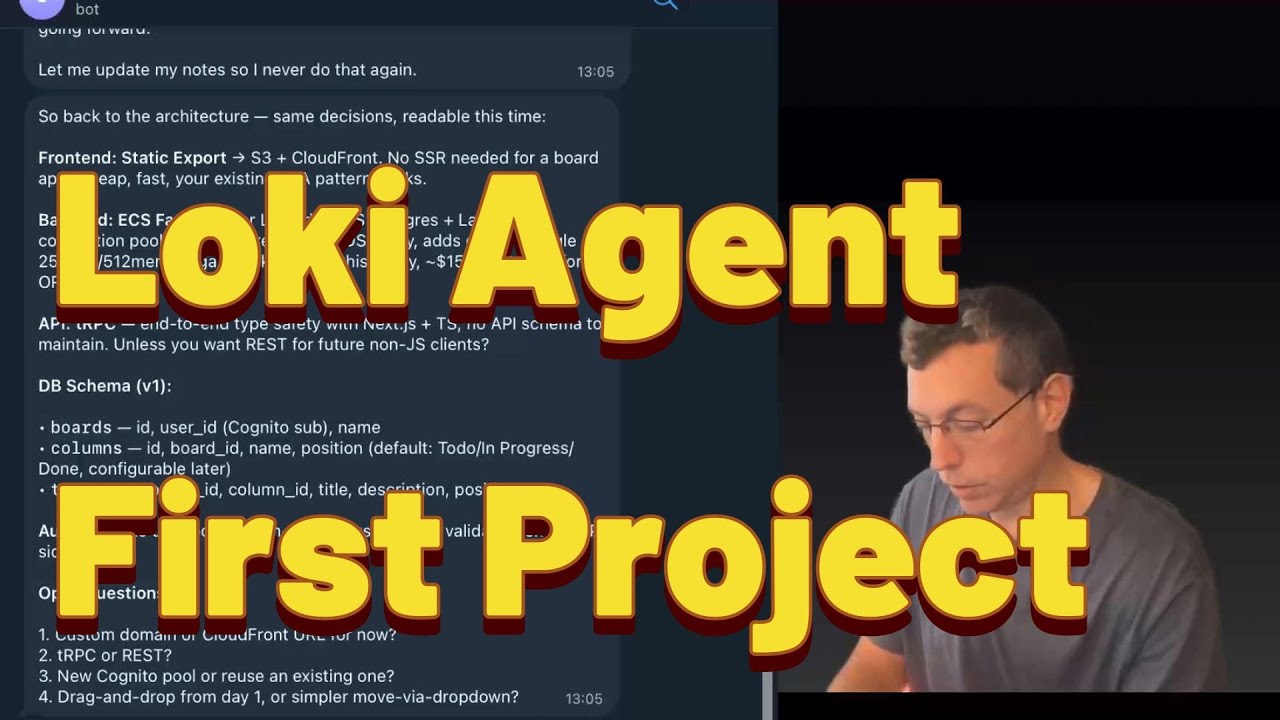](https://www.youtube.com/watch?v=dJSk8DYlHvI)
▶️ [Watch the full walkthrough on YouTube](https://www.youtube.com/watch?v=dJSk8DYlHvI)
📝 [Read the blog post: "I Gave My Agent Its Own AWS Account"](https://robotpaper.ai/i-gave-my-agent-its-own-aws-account-and-now-it-codes-deploys-and-debugs-full-stack-apps/)
> **TL;DR — deploy Loki:**
>
> **macOS / Linux / WSL / CloudShell:**
> ```sh
> curl -sfL https://raw.githubusercontent.com/inceptionstack/loki-agent/main/install.sh -o /tmp/loki-install.sh && bash /tmp/loki-install.sh
> ```
>
> Requires: AWS CLI configured, admin access on a dedicated AWS account. The script walks you through everything.
>
> ⚠️ **We highly recommend deploying Loki in a brand-new, dedicated AWS account.** Loki has admin-level access and LLMs can make mistakes — a clean account limits the blast radius. Start with prototyping work as you learn and get acquainted with its capabilities. Like any powerful tool, it carries risks; isolating it in its own account is the simplest way to manage them.
>
> ⚠️ **This is an experiment, not a security product.** Loki can enable AWS security services and flag findings, but it does not replace professional security review, compliance auditing, or threat modeling. An LLM with admin access can cause damage — treat it accordingly.
>
> After deploying, run the [Essential Bootstraps](https://github.com/inceptionstack/loki-agent/tree/main/bootstraps/essential) — see [Getting Started](#getting-started) below.
>
> **To remove a Loki deployment:**
> ```sh
> curl -sfL https://raw.githubusercontent.com/inceptionstack/loki-agent/main/uninstall.sh -o /tmp/loki-uninstall.sh && bash /tmp/loki-uninstall.sh
> ```
>
---
## Getting Started
### Step 1: Install Loki
Run the install command from the TL;DR above. The installer verifies AWS permissions, lets you select your **agent pack**, instance size, and deployment method (CloudFormation / SAM / Terraform), then deploys automatically.
**Agent packs available:**
| Pack | Description | Instance | Data Volume |
|------|-------------|----------|-------------|
| **OpenClaw** (default) | Stateful AI agent with 24/7 gateway, persistent memory, Telegram/Discord/Slack | t4g.xlarge recommended | 80GB |
| **Hermes** *(experimental)* | NousResearch CLI agent — lighter, terminal-focused, self-improving skills | t4g.medium sufficient | None needed (set to 0) |
| **Pi** *(experimental)* | Minimal terminal coding harness — read, write, edit, bash tools | t4g.medium sufficient | None needed (set to 0) |
| **IronClaw** *(experimental)* | Rust-based AI agent by NEAR AI — static binary, fast startup | t4g.medium sufficient | None needed (set to 0) |
The installer discovers packs dynamically and asks which to deploy. Experimental packs are clearly marked.
> **Works from AWS CloudShell!** You can run the installer directly from [AWS CloudShell](https://console.aws.amazon.com/cloudshell/) — no local setup needed. CloudShell already has AWS credentials configured via your console session. If you pick Terraform as the deployment method, the installer will offer to install it automatically (no root required).
<details>
<summary><strong>Manual deploy (alternative)</strong></summary>
```bash
# Clone
git clone https://github.com/inceptionstack/loki-agent.git
cd loki-agent/deploy/cloudformation
# Deploy (OpenClaw — default)
aws cloudformation create-stack \
--stack-name my-loki \
--template-body file://template.yaml \
--parameters ParameterKey=EnvironmentName,ParameterValue=my-loki \
--capabilities CAPABILITY_NAMED_IAM \
--region us-east-1
# Deploy (Hermes — lighter alternative)
aws cloudformation create-stack \
--stack-name my-hermes \
--template-body file://template.yaml \
--parameters \
ParameterKey=EnvironmentName,ParameterValue=my-hermes \
ParameterKey=PackName,ParameterValue=hermes \
ParameterKey=InstanceType,ParameterValue=t4g.medium \
ParameterKey=DataVolumeSize,ParameterValue=0 \
--capabilities CAPABILITY_NAMED_IAM \
--region us-east-1
# Wait ~10 min, then connect
aws ssm start-session --target <instance-id>
# Talk to your Loki
loki tui
```
Full deployment guide: [Deploying Loki on AWS](https://github.com/inceptionstack/loki-agent/wiki/Deploying-Loki-on-AWS)
</details>
### Step 2: Run the Essential Bootstraps
> **Important — these reduce mistakes and improve agent behavior significantly.**
After connecting to Loki for the first time, run the essential bootstraps. These are located at: [`bootstraps/essential/`](https://github.com/inceptionstack/loki-agent/tree/main/bootstraps/essential)
**Example prompt** — paste this into your Loki chat:
> *"Loki please bootstrap yourself based on this url https://github.com/inceptionstack/loki-agent/tree/main/bootstraps/essential"*
Available essential bootstraps:
- **BOOTSTRAP-ALARMS** — Configures CloudWatch alarm monitoring
- **BOOTSTRAP-CODING-GUIDELINES** — Sets development standards and coding practices
- **BOOTSTRAP-DAILY-UPDATE** — Configures daily status update procedures
- **BOOTSTRAP-DIAGRAMS** — Enables architecture diagram generation
- **BOOTSTRAP-DISK-SPACE-STRAT** — Sets up disk space management strategy
- **BOOTSTRAP-MCPORTER** — Configures MCPorter for MCP tool management
- **BOOTSTRAP-MEMORY-SEARCH** — Enables persistent memory search functionality
- **BOOTSTRAP-MODEL-CONFIG** — Configures AI model settings and preferences
- **BOOTSTRAP-PLAYWRIGHT** — Sets up Playwright browser automation
- **BOOTSTRAP-SECRETS-AWS** — Configures AWS secrets and credential management
- **BOOTSTRAP-SECURITY** — Establishes security protocols and guidelines
- **BOOTSTRAP-SKILLS** — Configures skills and capabilities
### Step 3: Run the Optional Bootstraps
> Nice to have — take a look and pick what fits your workflow.
After running essential bootstraps, run the optional bootstraps of your choice, located at: [`bootstraps/optional/`](https://github.com/inceptionstack/loki-agent/tree/main/bootstraps/optional)
Available optional bootstraps:
- **BOOTSTRAP-GITHUBACTION-CODE-REVIEW** — Integrates GitHub Actions with automated code review
- **BOOTSTRAP-PIPELINE-NOTIFICATIONS** — Sets up CI/CD pipeline notifications
- **BOOTSTRAP-WEB-UI** — Configures the web user interface
- **OPTIMIZE-TOO-LARGE-CONTEXT** — Optimization strategies for large context windows
### Step 4: Telegram Integration (if needed)
If you want to use Loki via Telegram, run the Telegram bootstraps located at: [`bootstraps/telegram/`](https://github.com/inceptionstack/loki-agent/tree/main/bootstraps/telegram)
- **BOOTSTRAP-TELEGRAM** — Sets up basic Telegram bot integration
- **BOOTSTRAP-TELEGRAM-GROUP** — Configures Telegram group chat functionality
### Uninstall
Remove one or all Loki deployments from your account:
```sh
curl -sfL https://raw.githubusercontent.com/inceptionstack/loki-agent/main/uninstall.sh -o /tmp/loki-uninstall.sh && bash /tmp/loki-uninstall.sh
```
Finds deployments by tag, lets you pick which to remove, deletes CloudFormation stacks or cleans up resources manually (Terraform deploys), and optionally removes state buckets/lock tables.
---
## Pack System
Loki uses a **pack-based architecture** for deploying different AI agent runtimes. Each pack is a self-contained module with its own install script, manifest, and resources.
### Available Packs
| Pack | Type | Description |
|------|------|-------------|
| `bedrockify` | Base (auto-installed) | OpenAI-compatible proxy for Amazon Bedrock. Runs as a systemd daemon on port 8090. All agent packs depend on this. |
| `openclaw` | Agent | Full stateful AI agent with 24/7 gateway, persistent memory, multi-channel support (Telegram, Discord, Slack). Includes Claude Code. |
| `hermes` | Agent *(experimental)* | NousResearch Hermes CLI agent. Self-improvi
[truncated…]PUBLIC HISTORY
IDENTITY
Identity inferred from code signals. No PROVENANCE.yml found.
Is this yours? Claim it →METADATA
README BADGE
Add to your README:
