githubinferredactive
gpt-all-star
provenance:github:kyaukyuai/gpt-all-star
WHAT THIS AGENT DOES
gpt-all-star helps teams build web applications by using artificial intelligence to automate much of the development process. It essentially assembles a team of AI agents that work together to plan and execute the steps needed to create an application, from initial design to final code. This tool is valuable for businesses looking to quickly prototype or build web applications without needing a large team of experienced developers. What makes it unique is its focus on collaborative AI agents, allowing for a more dynamic and potentially efficient development workflow. It’s particularly useful for those exploring new ways to leverage AI in software creation.
README
<div align="center"> <img width="628" alt="gpt-all-star" src="https://github.com/kyaukyuai/gpt-all-star/assets/1140707/dc46fbf4-16f9-4989-801d-7df65af0c696"> [](https://pypi.org/project/gpt-all-star/) [](https://opensource.org/licenses/MIT) <p> AI-powered code generation tool for scratch development of web applications with a team collaboration of autonomous AI agents. This is a research-project, and its primary value is to explore the possibility of autonomous AI agents. </p> </div>  <h2>Table of contents</h2> </hr> - [🏛 Concept](#-concept) - [🐳 Getting Started](#-getting-started) - [For User](#for-user) - [For Developer](#for-developer) - [🕴 Current Situation](#-current-situation) - [🧑💻️ UI Project](#️-ui-project) - [🔎 Examples](#-examples) - [⏱️ Pomodoro Timer](#️-pomodoro-timer) - [🍻 Contribution](#-contribution) ## 🏛 Concept - **Build Team, Build App**: Simply organize your team and decide on what to build. - **AI Agent Collaboration**: Assemble a group of AI agents and work together to carry out the steps. 1. Choose the right leader for each step. 2. Leaders create a plan of action for each step. 3. Work with team members to complete every task in the action plan. 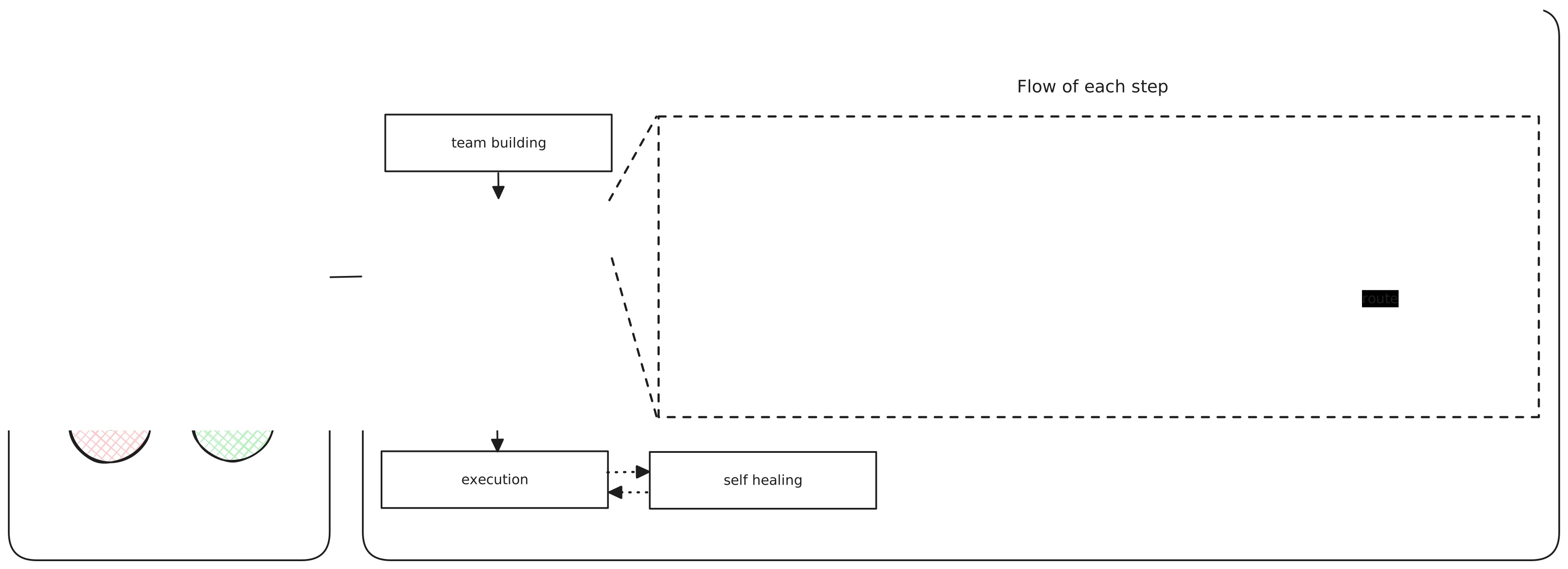 ## 🐳 Getting Started ### For User 1. Installation ```bash $ pip install gpt-all-star ``` 2. Set the `GPT ALL STAR` environment variables ```bash $ export OPENAI_API_MODEL=gpt-4o $ export OPENAI_API_KEY=<your-openai-api-key> ``` 3. Fun `GPT ALL STAR` ```bash $ gpt-all-star ``` ### For Developer :bulb: While it's entirely feasible to launch the application on your local machine directly, we **strongly recommend** using **Docker** for starting up the application. 1. Clone the repository ```bash $ git clone git@github.com:kyaukyuai/gpt-all-star.git ``` 2. Edit the `.env` file ```bash $ mv .env.sample .env ``` ```bash # OPENAI or AZURE or ANTHROPIC ENDPOINT=OPENAI # USE when ENDPOINT=OPENAI OPENAI_API_MODEL=gpt-4o OPENAI_API_KEY=<your-openai-api-key> # USE when ENDPOINT=AZURE AZURE_OPENAI_API_KEY=<your-azure-openai-api-key> AZURE_OPENAI_API_VERSION=2024-05-01-preview AZURE_OPENAI_API_MODEL=<your-azure-openai-api-model> AZURE_OPENAI_DEPLOYMENT_NAME=<your-azure-openai-deployment-name> AZURE_OPENAI_ENDPOINT=https://<your-azure-openai-endpoint>.openai.azure.com/ # USE when ENDPOINT=ANTHROPIC ANTHROPIC_API_KEY=<your-anthropic-api-key> ANTHROPIC_MODEL=<your-anthropic-model-name> # LangSmith LANGCHAIN_TRACING_V2=true LANGCHAIN_ENDPOINT=https://api.smith.langchain.com LANGCHAIN_API_KEY=<your-langchain-api-key> LANGCHAIN_PROJECT=<your-langchain-project> # This is an environment variable to use if you want to manage the code you want to generate with gpt-all-star on GitHub. GITHUB_ORG=<your-github-org> GITHUB_TOKEN=<your-github-token> ``` 3. Run `docker compose build` and `docker compose up` ```bash $ make build $ make up ``` 4. Open the web terminal `port 7681` Open: http://localhost:7681 5. Install dependencies ```bash $ poetry install ``` 6. Start `GPT ALL STAR` ```bash $ poetry run gpt-all-star ``` ```bash $ poetry run gpt-all-star --help Usage: gpt-all-star [OPTIONS] ╭─ Options ──────────────────────────────────────────────────────────────────────────────────────────────────────────────────────────────────────────────╮ │ --step -s [none|default|build|specification|system_design|development Step to be performed [default: StepType.DEFAULT] │ │ |entrypoint|ui_design|healing] │ │ --project_name -p TEXT Project name [default: None] │ │ --japanese_mode -j Japanese mode │ │ --review_mode -r Review mode │ │ --debug_mode -d Debug mode │ │ --plan_and_solve Plan-and-Solve Prompting │ │ --install-completion [bash|zsh|fish|powershell|pwsh] Install completion for the specified shell. [default: None] │ │ --show-completion [bash|zsh|fish|powershell|pwsh] Show completion for the specified shell, to copy it or │ │ customize the installation. │ │ [default: None] │ │ --help Show this message and exit. │ ╰────────────────────────────────────────────────────────────────────────────────────────────────────────────────────────────────────────────────────────╯ ``` 7. Edit the team members If you want to change the team members, edit the `gpt_all_star/agents.yml` file. ## 🕴 Current Situation This is a research project and the main focus is currently on validating `Client Web Applications` in `React` and `ChakraUI` using `JavaScript`. We would like to test other languages and libraries as well and welcome contributions. ## 🧑💻️ UI Project [gpt-all-star-ui](https://github.com/kyaukyuai/gpt-all-star-ui) is a web application that uses `gpt-all-star` as a backend. It's a simple web application that allows you to use `gpt-all-star` as a service. [](https://gpt-all-star.streamlit.app/) ## 🔎 Examples ### ⏱️ Pomodoro Timer - 💬 Instruction: `Pomodoro Timer fully designed by human interface guideline` - 💻️ [GitHub](https://github.com/gpt-all-star/pomodoro) 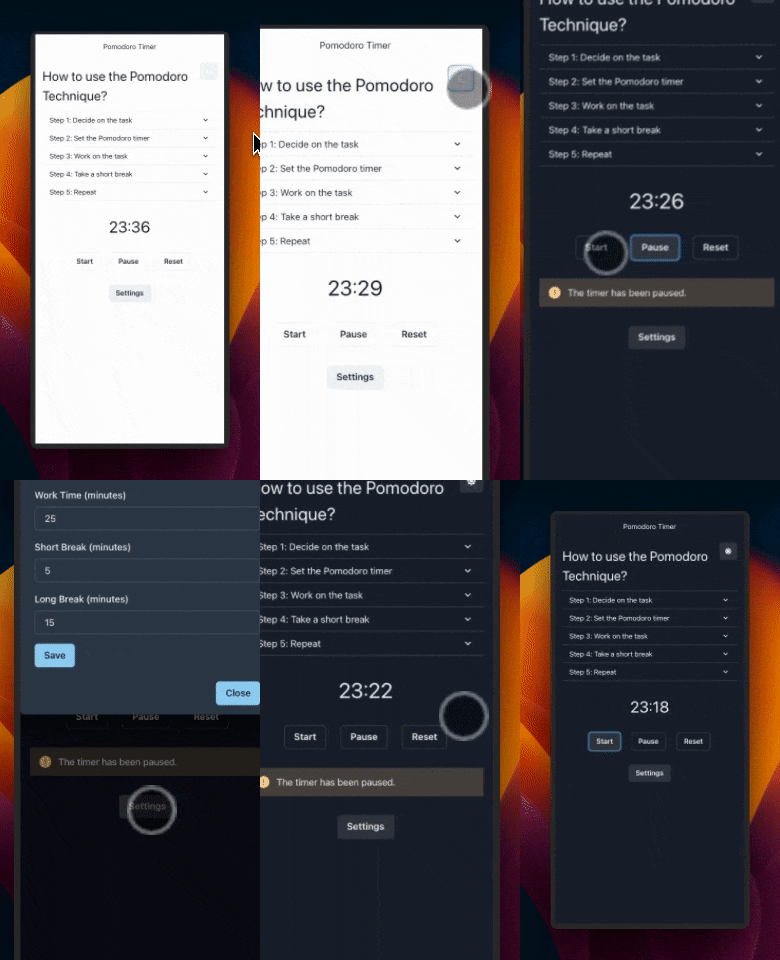 ## 🍻 Contribution GPT ALL STAR is open-source and we welcome contributions. If you're looking to contribute, please: - Fork the repository. - Create a new branch for your feature. - Add your feature or improvement. - Send a pull request. - We appreciate your input! **Installing Dependencies** ```bash poetry lock poetry install ``` **Virtual Env** ```bash poetry shell ``` **Pre-commit hooks** ```bash pre-commit install ``` **Packaging** ```bash poetry build ``` **Installing Locally** ```bash pip install dist/*.tar.gz ```
PUBLIC HISTORY
First discoveredMar 21, 2026
IDENTITY
inferred
Identity inferred from code signals. No PROVENANCE.yml found.
Is this yours? Claim it →METADATA
platformgithub
first seenDec 20, 2023
last updatedMar 21, 2026
last crawled4 days ago
version—
README BADGE
Add to your README:
