opensite-skills
Okay, here's a summary of the "opensite-skills" agent, geared towards a non-technical business user: What it does: This agent is like a central library for all the different AI coding tools your team might be using (like Claude, Copilot, etc.). It keeps all their "skills" – the knowledge and abilities they use to write code – updated and consistent in one place. What problem it solves: Imagine having to manually update the knowledge of several AI coding assistants every time there's a new technology or best practice. It's time-consuming and prone to errors. This agent eliminates that hassle by ensuring all your AI tools are using the same, up-to-date information
README
# AI Coding Agent Skills + Multi Agent Support ## Single source of truth for a comprehensive, continually updating set of AI coding agent skills 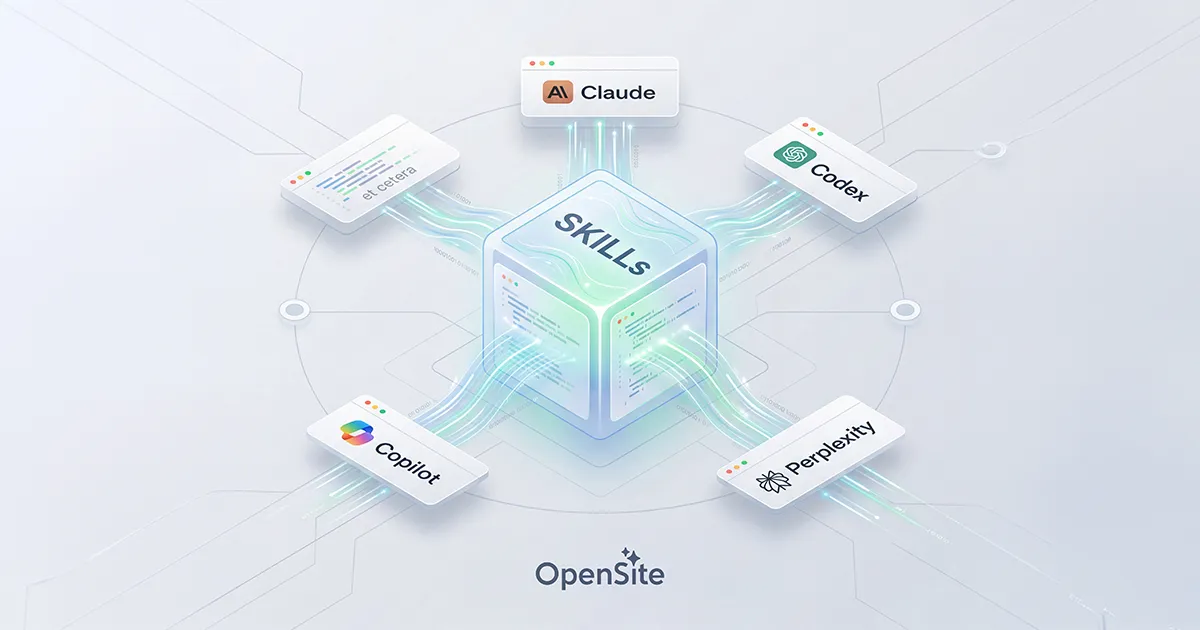 A growing collection of skills spanning frontend design, Rust and Rails backend engineering, AI/RAG pipeline patterns, database performance, DevOps automation, and more — built to stay in sync across every AI coding agent you run. Because keeping Claude Code, Codex, Copilot, Cursor, Factory/Droid, and cloud platforms all individually up to date sounds like a special kind of hell, this repo ships a full set of scripts that maintain a single source of truth for all of them. These skills follow the [Agent Skills open standard](https://agentskills.io) and are compatible with: | Platform | Skill Location | Load method | | ---------- | --------------- | ------------- | | **Claude Code** | `~/.claude/skills/` (global) or `.claude/skills/` (project) | Automatic + `/skill-name` | | **Claude Desktop** | Cloud upload — `claude.ai/customize/skills` | Automatic trigger | | **Codex** | `~/.codex/skills/` (global) or `.agents/skills/` (repo) | Automatic + `$skill-name` | | **Factory/Droid** | `~/.factory/skills/` (global) | Via `/` commands | | **GitHub Copilot** | `~/.copilot/skills/` (global) | Via `/` commands | | **Perplexity Computer** | Cloud upload — `perplexity.ai/account/org/skills` | Automatic trigger | | **Cursor** | `.cursor/skills/` per-repo | Via `/` commands | | **Mistral Vibe** | `~/.vibe/skills/` (global) | Automatic + `/skill-name` | > **One repo, zero copying.** Set this up once with the platform setup script and all tools read from the same directory via symlinks. Update a skill once — all tools see the change instantly. This includes Mistral Vibe, which will automatically sync the skills from this repo. --- ## Quick Setup > For local platforms: Claude Code, Codex, Cursor, Factory/Droid, and GitHub Copilot. Dedicated scripts for cloud platforms (Perplexity, Claude Desktop) below. ```bash # 1. Clone to a stable location git clone git@github.com:opensite-ai/opensite-skills.git ~/opensite-skills cd ~/opensite-skills # 2. Run the setup script ./setup.sh ``` The setup script detects which platforms are installed and creates symlinks from each platform's skills directory to this repo — no file copying. This includes Mistral Vibe, which will automatically sync the skills from this repo. --- ## Memory System — Persistent Long-Term Context This repo ships four skills that give any AI engine **persistent memory across sessions** using only the local filesystem. No external services, no databases, no pip installs — just Python 3.8+ and markdown files. ### The Four Memory Skills | Skill | Role | When to Invoke | |-------|------|----------------| | `memory` | Core store — schema, scripts, direct read/write/search | Direct memory operations | | `memory-recall` | Loads relevant context before work begins | **Start of every session** | | `memory-write` | Extracts and persists session learnings | **End of every session** | | `memory-consolidate` | Decays, deduplicates, compresses old entries | Weekly or monthly | ### Memory Layers The store lives at `memory/store/` and is organized into four cognitive layers: | Layer | Directory | What Goes Here | |-------|-----------|----------------| | **Episodic** | `store/episodic/` | Session summaries, milestones, breakthrough events | | **Semantic** | `store/semantic/` | Project facts, tech notes, user preferences, domain knowledge | | **Procedural** | `store/procedural/` | ADRs, repeatable workflows, code conventions | | **Working** | `store/working/active.md` | Hot context handoff — current task, next steps, open questions | ### Standard Session Workflow ``` ┌─────────────────────────────────────────────────────────────┐ │ SESSION START │ │ /memory-recall ← loads working memory + relevant context │ │ │ │ [... do your work ...] │ │ │ │ SESSION END │ │ /memory-write ← captures decisions, facts, next steps │ └─────────────────────────────────────────────────────────────┘ Weekly / Monthly: /memory-consolidate ← decays stale entries, deduplicates, compresses ``` #### What `memory-recall` loads 1. `store/working/active.md` — always first; the hot state from last session 2. Semantic memories relevant to the current project and technology keywords 3. Architecture Decision Records (ADRs) for the active project 4. Code conventions and workflows for the active project 5. The 3 most recent episodic session summaries #### What `memory-write` saves - **Episodic** — a session summary (goal, outcome, decisions, blockers, next steps) - **Semantic** — project facts, tech gotchas, confirmed library behaviors, user preferences - **Procedural** — ADRs with full Context / Decision / Rationale / Trade-offs / Status format - **Working** — updated `active.md` with the next-session handoff state #### Duplicate prevention Before writing, `memory-write` searches the store and scores similarity: | Score | Action | |-------|--------| | > 0.80 | Update the existing entry | | 0.40 – 0.80 | Create new entry with a `related:` note | | < 0.40 | Create a fresh entry | ### Memory Store Privacy All store data lives only on your local machine. The `memory/.gitignore` file excludes every `store/` path from version control — only the skill instructions and Python scripts are committed to git. To sync across machines, use a private git repo just for `memory/store/`, rsync in your backup system, or a dotfiles manager. ### Memory Store Maintenance ```bash # Preview what consolidation would change (no writes) python memory/scripts/consolidate.py --dry-run # Full maintenance pass (decay + dedup + compress + reindex) python memory/scripts/consolidate.py # Manual search python memory/scripts/search_memory.py --query "axum middleware" --type semantic python memory/scripts/search_memory.py --stats # Manual write python memory/scripts/write_memory.py \ --type semantic --category technologies \ --title "Axum Tower Middleware Pattern" \ --content "When adding middleware in Axum 0.8+..." \ --tags "rust,axum,middleware" --project my-project # Multiline / markdown-safe write cat <<'EOF' | python memory/scripts/write_memory.py \ --type procedural --category decisions \ --title "ADR: Use thiserror for library error types" \ --content-stdin \ --tags "rust,error-handling,adr,architecture" --project my-project ## Context ... ## Decision ... EOF ``` --- ## Context Management — Extending the Context Window This skill provides **context virtualization** for AI coding agents: SQLite FTS5 indexing, BM25 keyword search, deterministic output compression, session checkpointing, and a stats dashboard. It keeps large tool outputs out of the context window while making them searchable, and saves session state across compaction boundaries. The architecture is directly inspired by [context-mode](https://github.com/context-labs/context-mode), the popular Claude Code plugin that automatically compresses and indexes tool outputs via hooks. This skill delivers the same core capabilities as a portable, agent-driven workflow that works on any platform. ### Why This Exists Claude Code has a hook system (`PreToolUse`, `PostToolUse`) that lets context-mode intercept tool calls automatically. Codex CLI, Cursor, Windsurf, Copilot, and other agents don't have this. Without hooks, large outputs from test suites, git diffs, log files, and file reads flood the context window and trigger early compaction. This skill bridges that gap. Instead of hooks doing the work implicitly, t [truncated…]
PUBLIC HISTORY
IDENTITY
Identity inferred from code signals. No PROVENANCE.yml found.
Is this yours? Claim it →METADATA
README BADGE
Add to your README:
