draw2agent
This agent allows developers to draw directly on their website as it's running in a browser. It solves the problem of clearly communicating visual feedback or desired changes to an AI coding assistant. Developers, designers, and testers can use it to point out specific areas needing modification, like a misaligned button or incorrect styling. The agent then captures these drawings, along with information about the website's structure, and sends it to the AI. This visual context helps the AI make more accurate and targeted code adjustments, streamlining the development process and reducing misunderstandings. It’s particularly useful for complex visual changes that are hard to describe with words alone.
README
# draw2agent ✏️
[](https://www.npmjs.com/package/draw2agent)
[](https://registry.modelcontextprotocol.io/?q=draw2agent)
Draw on your website. Your AI agent sees it.
**draw2agent** is an MCP server that lets you draw annotations directly on top of your local dev page. When you submit, your IDE agent receives a screenshot, structured DOM data, and annotation context to make precise code edits.
👉 **Try it out at:** [draw2agent.vercel.app](https://draw2agent.vercel.app)
## Demo
[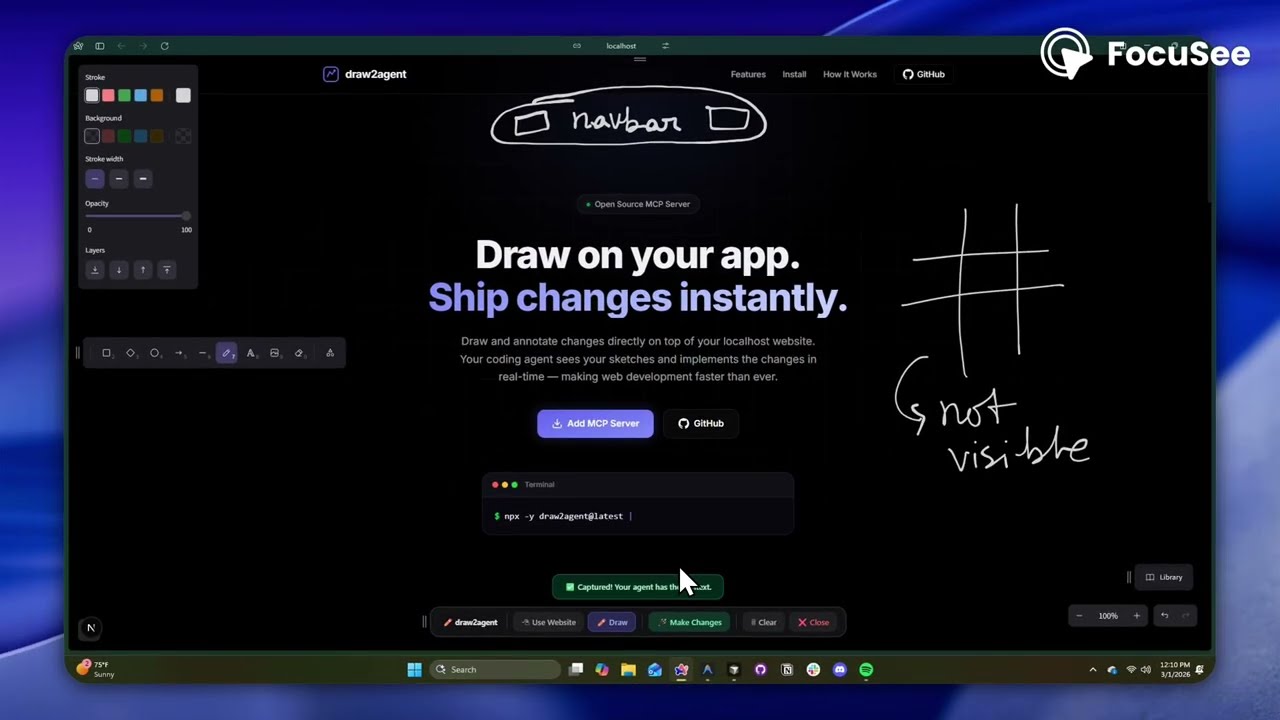](https://youtu.be/siv1ioOnOXk)
## Quick Start
### 1. Add to your IDE (one-time)
**Cursor** (`~/.cursor/mcp.json`):
```json
{
"mcpServers": {
"draw2agent": {
"command": "npx",
"args": ["-y", "draw2agent@latest"]
}
}
}
```
### 2. Use it
Tell your agent:
> "Use draw2agent to fix the navbar"
1. 🌐 Agent opens your browser with drawing tools on your page
2. ✏️ Draw circles, arrows, text directly on your website
3. 📸 Click **Submit**
4. 🤖 Agent reads the visual context and applies code changes
## How It Works
```
Your Dev Page (proxied)
├── Your original page content
└── Excalidraw overlay (transparent, on top)
├── Draw mode: annotate directly on the page
├── Select mode: interact with the page normally (Esc)
└── Submit: screenshot + DOM + annotations → agent
```
## Tools
The MCP server exposes the following tools:
| Tool | Description |
|---|---|
| `launch_canvas` | Opens your dev page with the drawing overlay |
| `launch_ipad_canvas` | Creates a tunnel and returns a QR code for remote drawing from iPad/mobile |
| `launch_scratch` | Opens a standalone Excalidraw whiteboard for freehand sketching |
| `get_drawing_state` | Returns screenshot, DOM nodes, and annotations for the current state |
### `launch_canvas`
The core tool — proxies your localhost dev server and injects an Excalidraw overlay. Draw annotations directly on your running app, then submit to send visual context to your agent. The tool blocks until you submit.
### `launch_ipad_canvas`
Same as `launch_canvas`, but exposes the proxy over the internet via a secure tunnel. Automatically opens a new browser tab on your computer with a QR code. Scan it from your iPad or phone to draw annotations with touch. Perfect for whiteboard-style feedback sessions.
### `launch_scratch`
Opens a blank Excalidraw whiteboard — no target URL needed. Sketch UI mockups, wireframes, or diagrams from scratch. Your agent receives the drawing and implements the design.
### `get_drawing_state`
Returns the last captured drawing state (screenshot, DOM nodes, annotations) without launching a new session. Useful for re-fetching context.
## License
MIT
PUBLIC HISTORY
IDENTITY
Identity inferred from code signals. No PROVENANCE.yml found.
Is this yours? Claim it →METADATA
README BADGE
Add to your README:
